
Privacy policy
Last updated: 29 November 2026
1. Who we are
This app, Imbue, is provided by Schwarmy Limited ("we", "us"), a company registered in New Zealand. This policy explains how we handle personal information, and we handle it in line with the New Zealand Privacy Act 2020 and its Information Privacy Principles.
- Company number: 9465806
- NZBN: 9429054027138
- Privacy Officer: Matthew Berry
You can contact us, including our Privacy Officer, by email or by post:

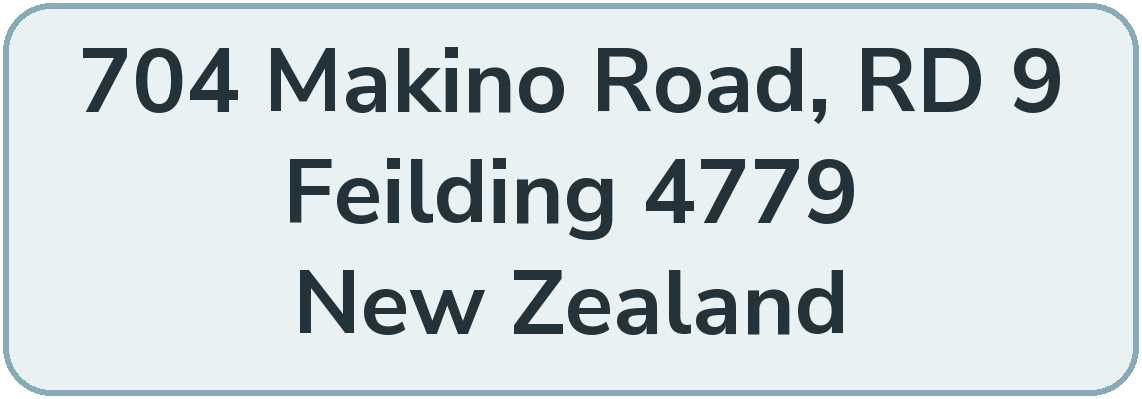
Postal address
Imbue supports people living with chronic pain or CFS/ME through a calm, nervous-system approach to recovery. It is for general well-being and education. It is not a medical device, and it does not provide medical diagnosis or treatment.
2. Our approach to your privacy
Your private notes, highlights, reading progress, and settings are stored on your device. You can get started without an account. We ask you to sign in before a purchase, before your first voice chat, to link custom audio to you, or when you post to the wall, use referrals, or take part in Feature votes. Section 5a explains what signing in shares and why.
3. Information stored on your device
The following is saved on your phone. Online features and optional backups use the information described in the sections below:
- A first name or nickname, only if you choose to enter one.
- Your chosen recovery program and the answers you give during the short intake, which tailor the content you see.
- Anything you write or save in Imbue: notes, favorites, highlights, reading progress, and your reminder and appearance settings.
- What Genevieve remembers about you, which is a small set of notes she keeps to make her replies more helpful.
- Your Emotional Expression story, what Genevieve noticed in it, her notes from your live sessions, and any short reminder of who an unsent paper letter is to (the letters themselves are written on paper and never stored in Imbue).
Some of this may include health information, which is sensitive. It stays on your device unless you choose to share it with Genevieve (see below), post to the Wall of Support (see section 5), take part in Feature votes (see section 5b), or keep the cloud backup to your own Google account (see section 8; on an iPhone, your phone's own iCloud or computer backup includes it). You can view, change, or delete this information at any time within Imbue, and clearing the app data or uninstalling removes it from your device.
4. Information processed when you use Genevieve
When you message Genevieve, your message, recent conversation, enabled memory notes, reply preferences, and first name if entered are sent securely to our server and an AI provider to generate a reply. Your optional onboarding answers, what you have noted in Your Evidence, and what you have added to Daily Essentials help personalize that support. You can turn off memory and chat history in Genevieve's settings. To keep these details off the online service, do not use Genevieve or custom audio. The first time you use Genevieve or custom audio, Imbue tells you what is sent and asks you to agree before anything leaves your phone.
When you talk with Genevieve, your voice is sent to LiveKit for as long as the voice chat is on. LiveKit uses Deepgram to turn what you say into words, which reach OpenAI the same way a typed message does, and ElevenLabs speaks her replies. If LiveKit is busy, ElevenLabs does the listening too. Your voice is never recorded, and LiveKit, Deepgram, and ElevenLabs keep nothing from the voice chat afterward. We keep only how long the voice chat lasted, to take the minutes it used. What was said is saved in your chat on your phone, like a typed chat.
Because of this, please do not share anything with Genevieve that you would not want processed by a third party. We ask our AI providers not to use your content to train their models. They may hold the content briefly for security and abuse-prevention purposes before deleting it. Genevieve is an AI assistant and can give incorrect answers; she is not a substitute for professional medical advice.
When you create custom audio, we keep the script and recording on our server under an account or purchase identifier so you can restore them on another phone. Scripts are processed by AI and voice providers to make the recording. A pending script is also kept temporarily so you can return to it. Deleting a recording in Imbue removes its server copy as well.
When you use Emotional Expression, each answer you give out loud is recorded on your phone and sent to OpenAI, which turns it into words. The recording is then deleted from your phone, and we never keep it. OpenAI also writes Genevieve's follow-up questions, which ElevenLabs speaks, checks each answer for anything that means you may need support, and reads your story to write what Genevieve noticed. A spoken live session is carried by LiveKit like a voice chat. In text-reply mode, your spoken or typed replies go to OpenAI, which turns any spoken clip into words without keeping the recording and writes her text reply. Afterward, OpenAI updates her notes from what was said. Every few sessions, or when something important changes, Anthropic's Claude reviews those notes and short session summaries (never the full words of your session) to keep them clear and accurate. Your story and her notes are kept only on your phone and in your own backup (any unsent letters are written on paper, never stored in Imbue). We keep only how long each live session lasted and small safety or fair-use flags, never the words of your session.
5. The Wall of Support
The Wall of Support is an optional community space where people on the same program send each other short, pre-written messages of encouragement. What you choose to post is stored on our server so that others can see it. You never type a message: you choose from set options, and the only free text is a first name, which is checked automatically before it can appear.
When you post or reply, we store your chosen message options, first name, optional country or US state, and an account-linked identifier. We do not collect your exact location. Your email is never displayed on the wall. Posting requires eligible access and a verified sign-in.
The wall is public, and we cannot promise that only people using Imbue will see a post. Posts do not include symptom details. Choose a name and location you are comfortable sharing publicly.
You can report anything that seems wrong, and you can hide another person so you never see them on the wall again. Reporting someone does not take their post down: the only thing we ever remove is a first name.
Wall posts and replies are kept for up to six months, then deleted automatically. To remove a post sooner, open it from Your wall and choose Remove this post; to remove a reply, press and hold it and choose Remove this reply. Deleting your account (Settings, then Erase or delete my data) removes all your posts and replies straight away. Erasing Imbue data on your phone does not remove them: they stay with your account.
5a. Your sign-in and email address
We ask you to sign in before paying, before your first voice chat, when linking custom audio to your account, or when posting to the Wall of Support, using referrals, voting, or suggesting an idea in Feature votes. Google sign-in provides a verified email address; on an iPhone, Sign in with Apple provides your address or a private relay address that Apple forwards to you. Your account links your purchases, audio minutes, recordings, wall identity, and referral code so they can be accessed on another phone. When you sign in on a phone, we store that phone's name (as you named it, or its make and model) and when it was last used, so you can see your phones under Your devices and sign one out. An account can be signed in on five phones at once.
Your email identifies your account. It is not used for marketing or shown on the wall. We use it to send the reminder emails before your subscription renews (on unless you turn them off), one email confirming those reminders, a confirmation code if you ask us to move your plan between an Android phone and an iPhone, and, if you delete your account, to tell you the date it will be deleted and to confirm when it has been. You can sign out from Settings, under Account. To delete the account, open Erase or delete my data and choose Delete my account. That erases Imbue’s data on your phone straight away and removes your Wall of Support posts. Seven days later we delete your account and everything we hold with it: your email address, your custom audio recordings and the scripts they were made from, your audio minutes and their history, the record of your voice chats and Emotional Expression live sessions, your Feature votes and suggestions, and your list of signed-in devices. Signing in again before then cancels the deletion. Minutes you have not used are lost, including any still to come from a lifetime purchase, and deleting your account does not cancel a Google Play or App Store subscription. We keep only a note that a deleted account existed and which store purchases and referrals it used, under a random number that does not identify you, so the same purchase or referral cannot be credited twice. So the reminder emails arrive at a sensible hour, we keep your next renewal date, the price and currency, and your time zone, which is worked out from your internet connection.
If you share your referral code, we record the code and which accounts used it, so the free audio minutes can be paid to both of you when your friend first pays. Your friend sees only the code, never your name or address, and you are told only how many people used it, never who.
5b. Feature votes
Feature votes lets you vote for what Imbue adds next and suggest your own. When you vote, we store which idea, under an opaque code made from your account. When you suggest an idea, we store your words under the same code, and they are sent to OpenAI, which sorts them (for example, whether the idea is already on the list), before we read them. Please keep health details out of a suggestion. Each vote and suggestion also carries which program you are following, so it reaches the right list. That says something about your health, so this is special-category data and we rely on your explicit consent; nobody else sees it. Your words are never shown to anyone else: an idea we add to the list is written in our own words. Some ideas, such as more lessons or another tool, ask what you would like when you vote for them: those words are stored with your vote under the same code and read by us, and are not sent to any AI. A suggestion is kept until we have answered it and for six months after that, a lesson or tool request for six months after you last changed it, and deleting your account removes your vote, your suggestions and your requests.
5c. Being notified when Imbue is ready
On withimbue.com/signup you can leave your first name, email address, phone type (iPhone or Android), and the program you want (chronic pain or CFS/ME) to be notified when Imbue is ready for you. You do not need an account. We send one email straight away to check the address is yours, and nothing counts as a sign-up until you confirm from it; an address that is never confirmed is deleted after a week. Once you confirm, we keep your details only to email you once when Imbue is ready for you (from our support address, never marketing), and then we delete them. If you also choose the optional early trial (and leave an optional short note), we use your details only to pick a small test group, send your install instructions and free access code if selected, and send one short follow-up email for feedback, before deleting your details. If you are not selected for the early trial, you stay on the launch list and receive only the one launch email before deletion. Signing up says something about your health, so this is special-category data and we rely on your explicit consent, given when you submit the form and confirm your email. The page you reach from the confirmation email has a link to take your address off the list at any time, or you can email us. We will never share your details or use them for anything else, and nobody else sees them.
6. What we do not collect
To be clear, Imbue does not:
- Use analytics, advertising identifiers, or tracking tools in the Imbue app. Our website, withimbue.com, uses Cloudflare Web Analytics for simple visit counts; it sets no cookies, collects no personal identifiers, and does not track you across sites.
- Detect your location (the only exceptions are the time zone used for reminder emails, described in section 5a, and the time zone offset saved with each wall post so its time shows correctly), or access your contacts or browse your photos. In Wallpapers, if you pick a photo, Imbue sees only the photo you choose, keeps it on your device, and never uploads it. Saving a wallpaper adds the image to your photos without letting Imbue look through them. Imbue uses your microphone only during a voice chat with Genevieve that you start, while you record an answer in Emotional Expression, and during its live sessions, and stops when each ends. The Wall of Support shows a country or US state only if you choose one.
- Track your symptoms, or build any profile of you for marketing.
- Sell or rent your personal information to anyone.
6a. Crash reports
If Imbue hits an error it cannot handle, it writes a technical report to your phone and sends nothing. The next time you open Imbue we ask whether you would like to send it, and you can read the whole report before deciding. Nothing is sent unless you tap Send, and declining deletes it.
A report contains the error, its technical trace, your app version, your phone's model and Android or iOS version, and a short trail of which screens were open and what Imbue was doing just before, as screen and action names only. It contains nothing you have written or read: no name, no notes, no messages to Genevieve, no reading history. File paths and anything shaped like an email address are removed before the report is saved. The full report is emailed to us, kept only while we work out what went wrong, and used for nothing else. We also keep a short summary of each report for 90 days, so we can see whether the same error keeps happening. The summary holds the kind of error, where in the app's code it happened, the app version, and whether the phone runs Android or iOS and which version, such as Android 15. It holds nothing that says who sent it. You can switch the offer off entirely in Settings, under Your data & privacy.
6b. Diagnostic log
To help us fix problems - especially with payments, subscriptions, backups or your recordings - Imbue keeps a small diagnostic log on your phone. It records technical events only: things like “a restore found no subscription” or “a reminder could not be scheduled”, each with the time it happened and your app version and Android or iOS version. It contains no name, no notes, no messages to Genevieve, and nothing else you have written or read; file paths and anything shaped like an email address are removed. It holds the last ten days, and older entries are dropped automatically.
Alongside it, Imbue keeps a more detailed log of the last three days (never more than about 1 MB), so that a freeze or a screen that stops responding can be understood. It records where each touch landed on the screen and for how long (never what was under it), which screens were open, how quickly the app drew and responded, and how much memory it used. It follows the same rules as the diagnostic log: technical facts only, kept on your phone, and erased with your app data.
The logs are not sent on their own. Contact us includes them automatically when you choose Bug / app issue, Payment or subscription, or Custom audio or Genevieve. The form explains this before you send. For any other kind of message, the form shows a checkbox, “Attach diagnostic logs to help us investigate”, and the logs are sent only if you check it. Erasing your app data also erases the local logs.
6c. Telling us when something is broken
This is not analytics. Imbue does not send us what you tap, read, listen to, or how long you spend anywhere, and it never will. There is no tracking of any kind in this app: the detailed log in 6b stays on your phone unless you send it with a message.
What this is: Imbue has a handful of safeguards that catch a serious fault on our side and quietly work around it, so that you are not left stuck. The clearest example is a payment one - if the payment service cannot see a subscription you have genuinely paid for, Imbue checks with Google Play directly (on Android) and lets you in anyway, rather than telling you that you have not paid.
The catch is that those safeguards work so well that you would have no reason to tell us anything was ever wrong - so the fault could carry on affecting other people, unseen, for weeks. When one of them steps in, Imbue therefore sends us a single word naming the fault, from a short fixed list, and nothing else at all.
It carries no name, no account, no device or user identifier, no app version, and nothing you have written, read, bought or done. On our side it becomes a daily count of how many times that particular fault happened: there is no record of individual messages, so there is nothing that could be traced back to you or joined to anything else. It is sent only when something is genuinely broken, never when you simply use Imbue, and at most once a day.
7. How we use information
We use the information only to provide Imbue and the features you ask for: to show you your own content, to generate Genevieve's responses when you message her, and to deliver the reminders you set up. Reminders are scheduled on your device.
8. Storage, security, and backups
Information on your device is protected by your phone's own security. Information sent to Genevieve travels over an encrypted (HTTPS) connection. If you create a manual backup, it is a single file that you save and control, and we never receive it. Keep it somewhere private: it holds everything in your app, including your conversations with Genevieve.
Imbue also backs up to your own Google account. It is on unless you switch it off (in Settings, under Your data & privacy). It uses Android's own backup service: your app data - including notes, favorites, progress, settings, and what Genevieve remembers - is backed up automatically to the Google account already on your phone, so it can be restored on a new device. This backup goes to your own Google account, not to us; we cannot see it. It is encrypted in transit and at rest, and on Android 9 and later it is additionally protected with your device's screen lock, so that not even Google can read it while your phone has a lock screen set. Custom audio recordings are not included in this backup (they are restored from our server as described above). While cloud backup is off, none of your app data is sent to Android's backup service. You can turn it off at any time, after which the next automatic backup pass replaces the stored backup with an empty one, and Android also expires old backups on its own. Google's handling of your backup is covered by Google's own privacy policy.
On an iPhone there is no separate switch: like every app, Imbue is part of your phone's own iCloud or computer backup, which Apple handles under its own privacy policy. You can turn this off for Imbue in iPhone Settings, under iCloud. Downloaded audio is always kept out of it, and your sign-in details are removed when that backup is restored onto another phone.
9. Other organizations involved
A small number of trusted providers help us run the parts of Imbue that need the internet. They process information only to provide their service to us:
- Cloudflare, which hosts our website (withimbue.com) and its cookieless Cloudflare Web Analytics visit counts, hosts the server that relays your Genevieve messages, stores your custom audio sessions for restore, holds the email address from your sign-in (and any address you leave on our website to hear about a program), and sends most of our emails.
- Google (or Apple on an iPhone), which confirms who you are when you sign in with the account on your phone. We receive your verified email address from that sign-in and nothing else about your account; Google (or Apple) learns that you signed in to Imbue.
- Resend, which delivers our emails when Cloudflare's email service cannot: subscription reminder emails and their confirmation, phone-move confirmation codes when you ask us to transfer a plan, the two notices sent if you delete your account, and the launch-list or early-trial emails if you sign up on our website. It receives the address and the email itself, and nothing else.
- OpenAI, which writes Genevieve's replies, helps keep the short notes Genevieve remembers on your phone tidy over time, turns your spoken Emotional Expression answers into words and writes its follow-up questions, safety checks, what Genevieve noticed, and her notes after a live session, checks that a first name chosen for the Wall of Support is suitable, sorts the ideas suggested in Feature votes, and writes custom audio scripts if Anthropic is not working.
- Anthropic, whose Claude AI writes and checks the scripts for custom audio sessions, occasionally reviews Emotional Expression notes and short session summaries (never the full words of a session) to keep them accurate, and writes Genevieve's replies (typed, in a voice chat, and in an Emotional Expression live session) in OpenAI's place whenever OpenAI is not working. When stepping in for OpenAI, it receives the same information OpenAI would have.
- LiveKit (with Deepgram for speech-to-text), which carries your voice chats with Genevieve and your Emotional Expression live sessions: your voice is turned into words during the session, and nothing is kept afterward.
- ElevenLabs, which turns custom scripts into voice recordings and speaks Genevieve's replies in a voice chat and her Emotional Expression questions (and, if LiveKit is busy, does the listening too). For a recording, voice providers receive only the script needed to make it.
- Speechify and Cartesia, backup voice services that can record a custom audio session if ElevenLabs is not working. Like ElevenLabs, they receive only the script needed to make it.
- RevenueCat, which manages subscriptions and purchases for us. It receives a random identifier for your copy of Imbue, your purchases from Google Play or the App Store, and basic technical details about your phone and app version.
- Google Play (and the Apple App Store on an iPhone), which deliver Imbue, take payment, and confirm to our server that a purchase is genuine. Each time Imbue contacts our server, Google's Play Integrity service (on an iPhone, Apple's App Attest) also confirms the request comes from the real app.
- Google's Android backup service, which stores your cloud backup in your own Google account, unless you switch cloud backup off.
- Apple's iCloud backup, which on an iPhone backs up Imbue with the rest of your phone unless you turn that off.
These providers operate internationally, so information sent to Genevieve may be processed on servers outside New Zealand. Where that happens we take reasonable steps, as required by the Privacy Act, to ensure your information is handled with comparable protections. This list may change as Imbue grows, and we will update this policy when it does.
10. Your rights
Under the Privacy Act 2020 you have the right to ask for access to, and correction of, the personal information we hold about you. Because nearly all of your information lives on your own device, you can already see and change it directly in Imbue, including viewing and removing what Genevieve remembers from her chat menu. If you need help with information processed through Genevieve that you cannot access in Imbue, contact us using the details below and we will help.
10a. If you are in the UK or the European Economic Area
Imbue is run from New Zealand, but if you use it from the UK or the EEA the UK GDPR and EU GDPR apply to you as well as the New Zealand Privacy Act. This section says how, in the same plain language as the rest.
Who is responsible. Schwarmy Limited is the data controller for the small amount of information described above. It has no EU or UK establishment, so we have not appointed a representative; you can reach us directly using the details in section 1.
Why we are allowed to process it. Almost nothing reaches us at all. Where it does:
- Genevieve, custom audio and Emotional Expression - your explicit consent, given when you tap I agree the first time you use any of them. Because what you tell Genevieve may say something about your health, this is special-category data under Article 9, and we rely on your explicit consent (Article 9(2)(a)). You can withdraw it at any time in Settings, under Your data & privacy, and nothing more is sent until you agree again.
- The Wall of Support - your consent, given each time you post. You choose from set wording; the only free text is a first name, and a country is entirely optional. A post also carries which program you are following, which says something about your health, so this is special-category data under Article 9 and we rely on your explicit consent (Article 9(2)(a)). That is why posting asks you each time, why nothing is posted unless you choose to, and why you can delete everything you have posted from Settings.
- Feature votes - your explicit consent, given each time you vote or send an idea. Each one carries which program you are following, which says something about your health, so this is special-category data under Article 9 (Article 9(2)(a)). An idea is sent to OpenAI only after you have said yes to the same AI question Genevieve asks, and you can withdraw that in Settings, under Your data & privacy.
- Being notified when Imbue is ready - your explicit consent, given when you submit the form on that page and confirm from the email. Signing up says something about your health, so this is special-category data under Article 9 (Article 9(2)(a)).
- The contact form - our legitimate interest in answering you, and yours in being answered.
- Keeping the service standing up - our legitimate interest in preventing abuse. This is why we keep a one-way fingerprint of the network address a wall post came from, rather than the address itself.
Your rights. You can ask us for a copy of anything we hold about you, ask us to correct or delete it, object to or restrict what we do with it, withdraw a consent, and ask for it in a portable form. In practice most of this is already in your hands: your data is on your own phone, Genevieve's memory is viewable and deletable from her settings, and "Delete my account", under "Erase or delete my data" in Settings, deletes your account and what our server holds for it, your wall posts and replies included. Ask us and we will do the rest, free, and normally within a month.
Where your information goes. Our server runs on Cloudflare, and Genevieve's replies and the AI voice are generated by providers in the United States. New Zealand has an EU adequacy decision. Any further transfer to those providers is covered by the European Commission's Standard Contractual Clauses, which the providers include in their terms.
How long we keep it. Wall posts and replies are deleted automatically after six months. Feature votes suggestions are deleted six months after we answer them, lesson and tool requests six months after you last change them, and your vote when you delete your account. Custom audio recordings are kept until you delete them or your account. Messages to Genevieve are not stored by us at all; our AI providers hold them briefly for abuse prevention and then deletes them. Your voice in a voice chat is never recorded, and nothing from one is kept by LiveKit, Deepgram, or ElevenLabs. A spoken Emotional Expression answer is recorded on your phone only until it has been turned into words, then deleted. Contact emails are kept only as long as needed to deal with what you wrote about.
No automated decisions. Nothing here makes a decision about you with legal or similarly significant effects, and there is no profiling.
Complaints. If we have not put something right, you can complain to your own supervisory authority - the Information Commissioner's Office in the UK, or your national data protection authority in the EEA - as well as to the New Zealand Privacy Commissioner.
11. Keeping and deleting information
Information stored on your device is kept until you delete it or uninstall Imbue. Imbue gives you ways to clear your reading history and to reset or erase your data. If you keep a chat history with Genevieve, it is stored on your device; from her menu you can choose how long to keep it, turn it off, or clear it at any time (there is no separate export of chat history). Messages processed by Genevieve are held only briefly by our AI providers, as described above, and are then deleted.
12. Children
Imbue is intended for adults managing their own health and well-being. It is not directed at children, and we do not knowingly collect information from anyone under 18.
13. Changes to this policy
We may update this policy from time to time. Significant changes will be made clear inside Imbue.
14. Contact and complaints
If you use the contact form inside Imbue, your message is sent to us through our server so we can read it and reply. You may include your email address if you would like a response; leaving it blank keeps your message anonymous. We use an email address you provide only to reply to you. So we can help you properly, the message also tells us your subscription status (for example, free trial or paid) and the anonymous billing identifier your purchase is filed under, so we can find it if you ask about it. Nothing else that identifies you is sent.
If you have any questions about this policy or your information, you can also email Schwarmy Limited:
If you are not satisfied with our response, you have the right to complain to the Office of the Privacy Commissioner in New Zealand, at privacy.org.nz.
← Back to Imbue